

Approvals · Stage Gates · Risks & Issues
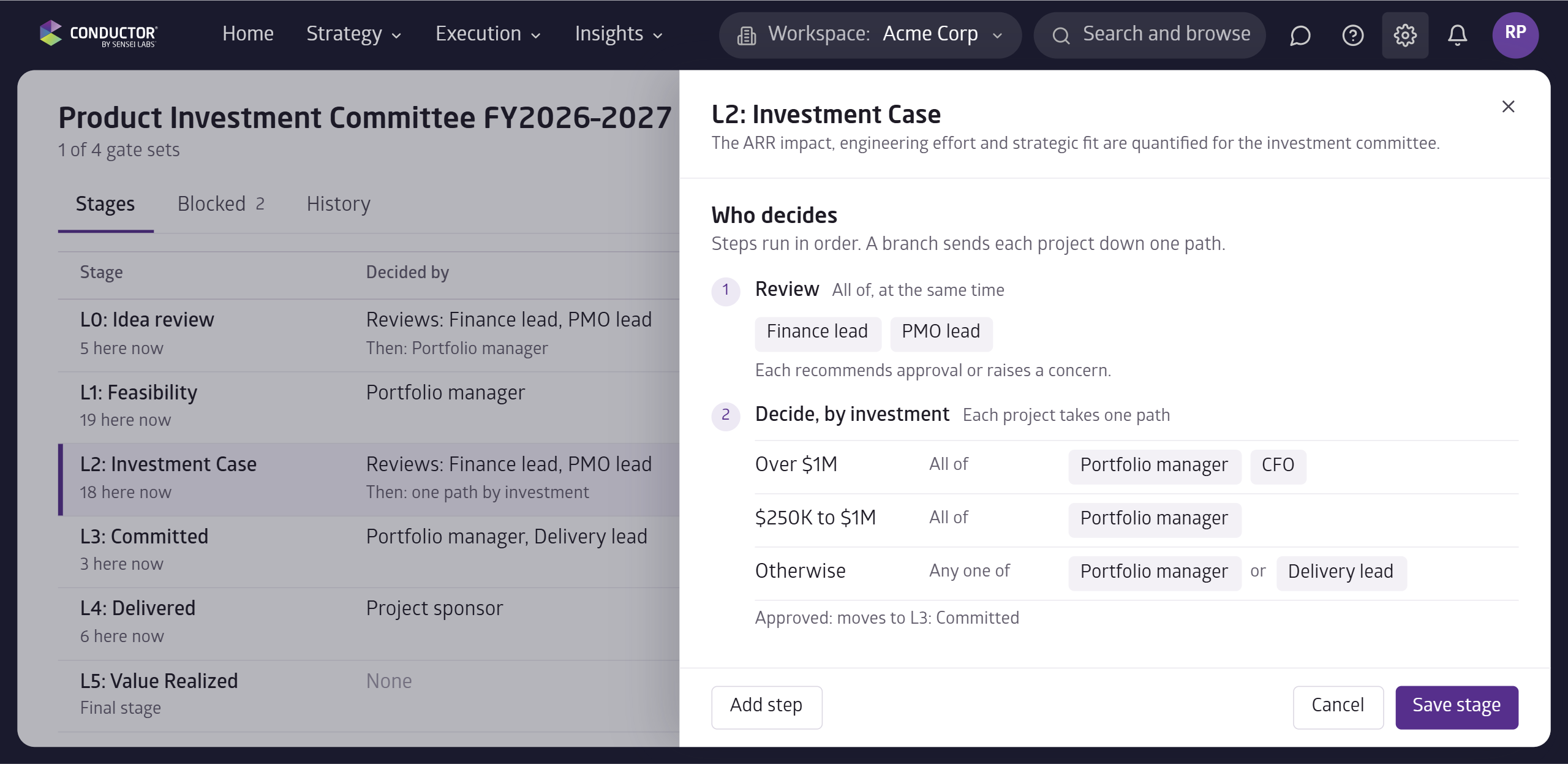
Approvals now let you add more than one person as an approver to a stage gate.
Approvals can also be completed in parallel (everyone at once) or in order (wait for each person to approve before asking the next).
Approvals can be conditionally routed to the right person based on rules such as its place in your portfolio or program or the size of the investment required.
During approval, each person sees which steps are complete and what is still waiting on them, so they have the full picture.
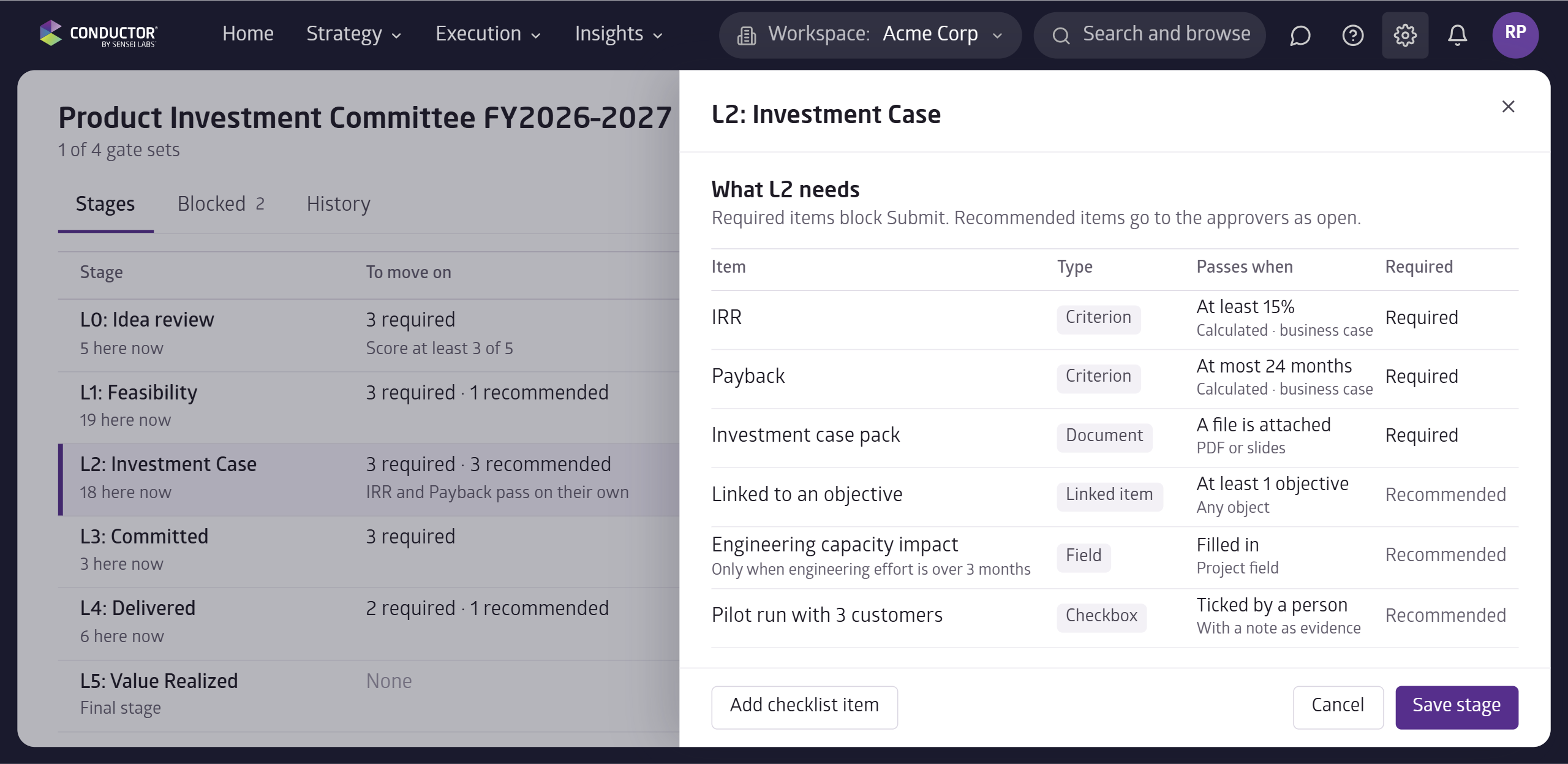
Stage gates now let you set which items can pass on their own when they meet a rule, like an IRR threshold or payback period calculated from the business case.
You can also set certain items as conditional, like only asking for the engineering capacity impact when the effort is over 3 months.
With this, teams spend less time guessing how to move their projects forward and more time on execution.
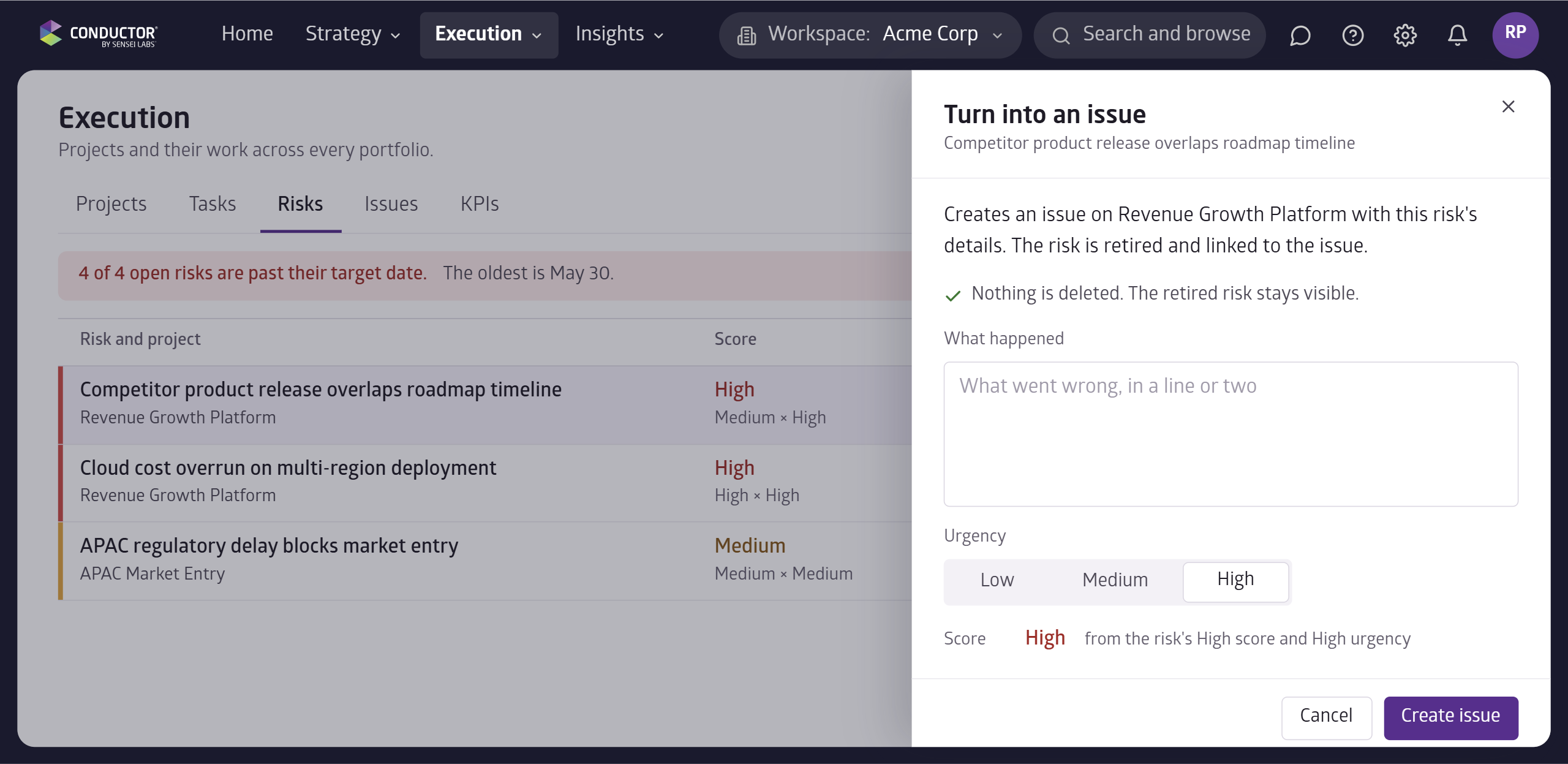
You can now turn a risk into an issue in one step.
The new issue picks up the risk's details, and the risk is retired and links to the new issue.
- Stage Dates: set a start and end date for each stage.
- Bulk Updates: change one field across many records at once in the UI.
- KPI Direction: set whether higher or lower is better for each KPI.
- Risk Score: risk scores now multiply impact by likelihood.


-1200x1200.webp&w=1920&q=75)