
Digests · Dependencies · KPIs
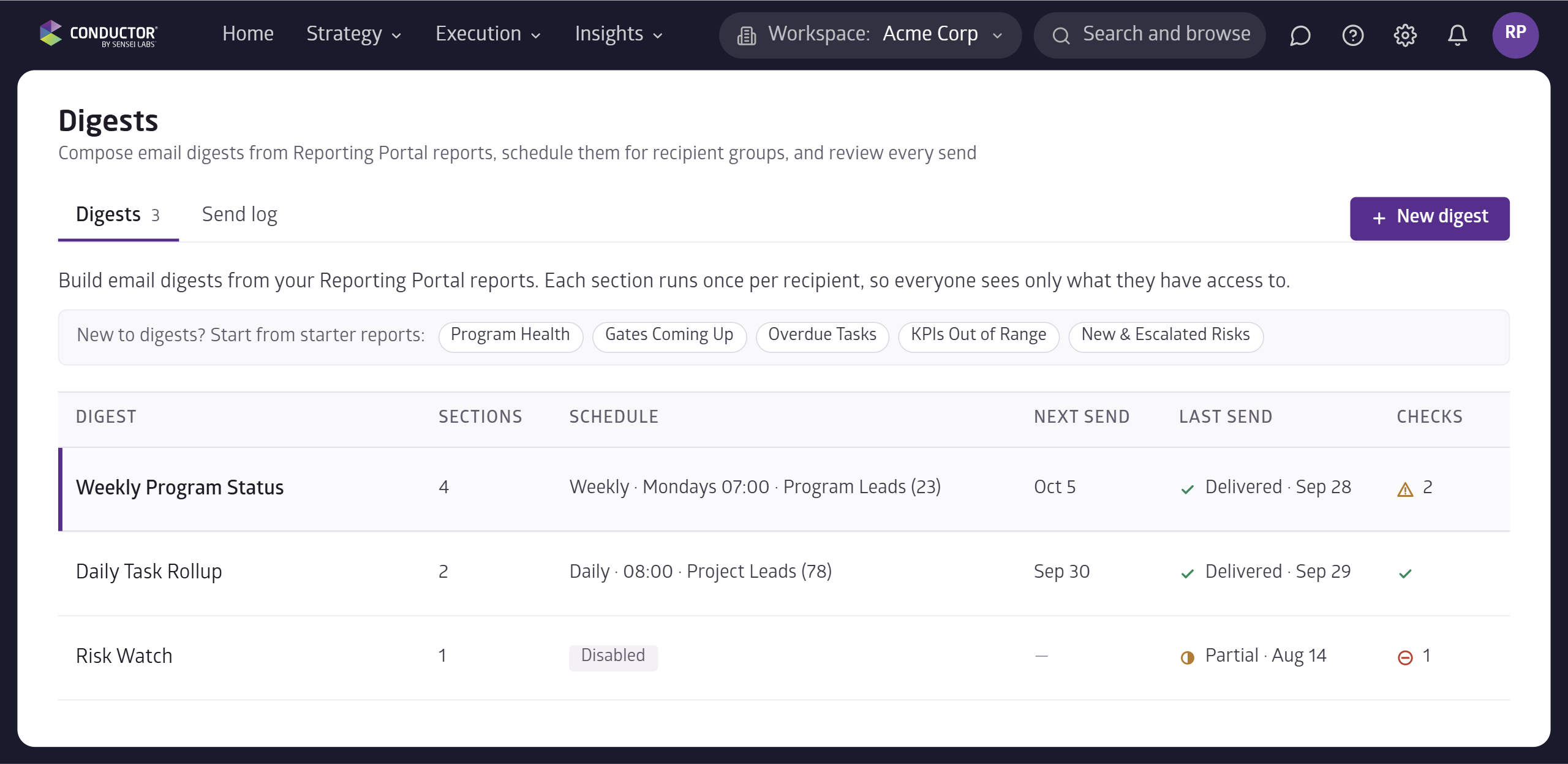
Notifications now let you build an email digest from your Reporting Portal reports and send it on a schedule.
Each person only sees what they have access to, so one digest works for the whole team.
For example, a weekly program status digest goes to program leads every Monday at 7:00am.
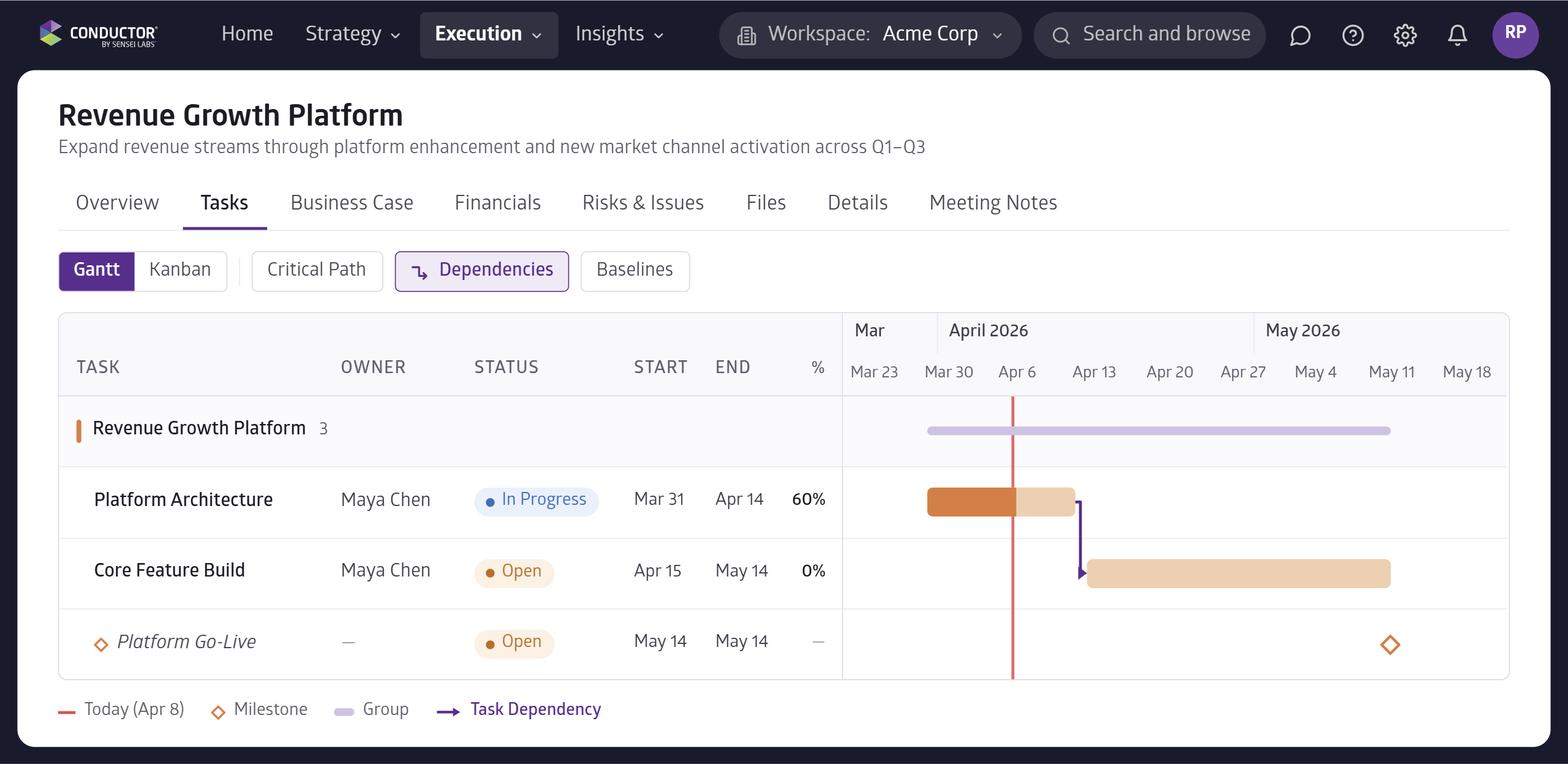
You can now link tasks on the timeline by dragging from one task to the next, and arrows show what each task is waiting on.
For example, link Core Feature Build to Platform Architecture so everyone can see it can't start until the architecture work is done.
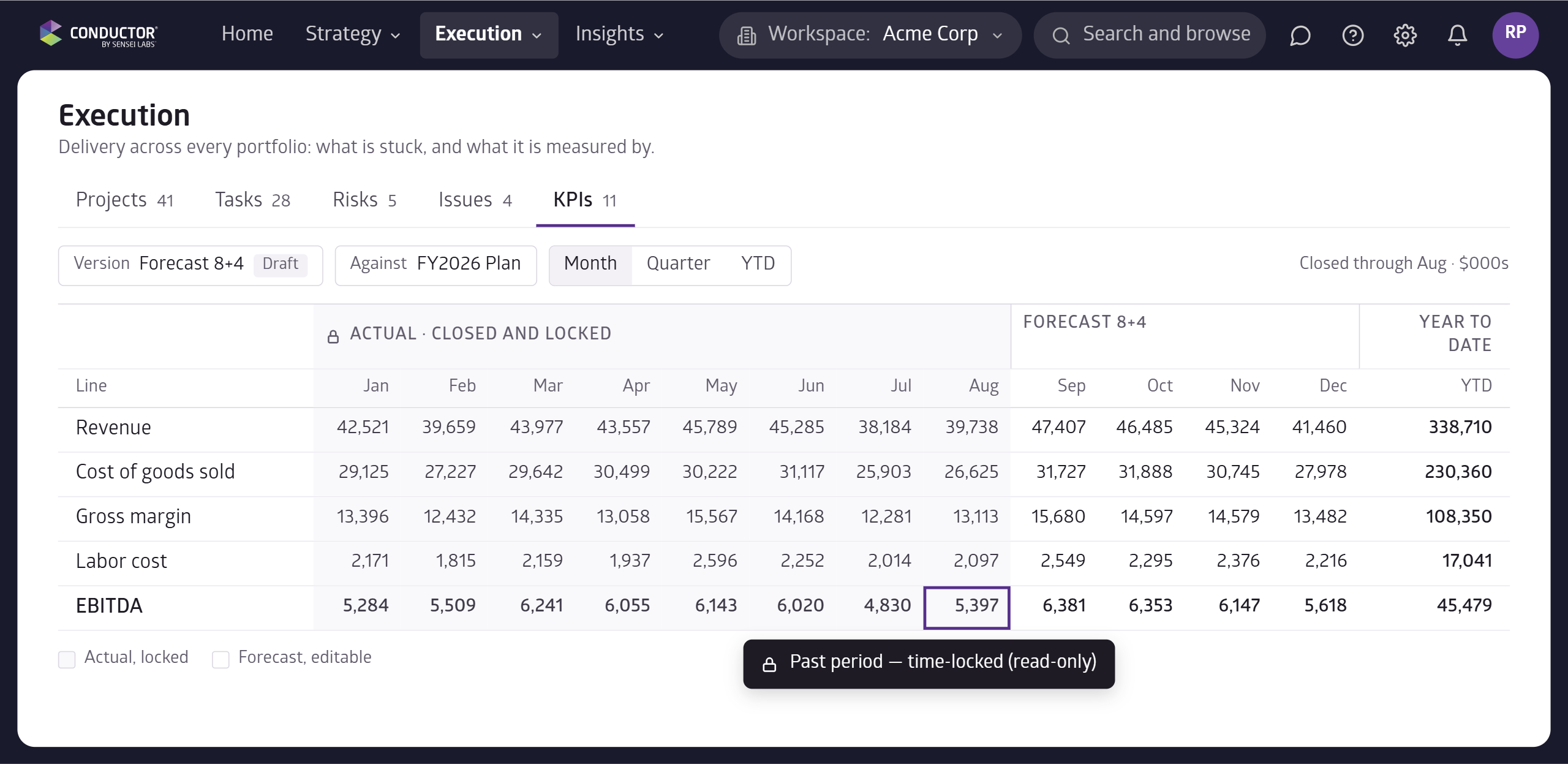
KPI values can now be locked, either after a set date or when a project moves to a new stage.
For example, last quarter's actuals become read-only once the period closes, and a project's target locks when it reaches the investment case stage.
- KPI Measures: create custom measures, like a cumulative target, and choose which roles can edit each one.
- Task Progress: see a progress percentage on every task, rolled up to its parent.
- Workspace Fields: scope custom fields and KPI types to the workspaces that need them.
- Multi-Select Fields: custom fields can now hold more than one value.
- Approver Notes: approvers and the requester can discuss a stage gate in one place.
- More Pages and Tabs: add pages and tabs to project details and Insights dashboards.