
Governance · Scheduling · Access
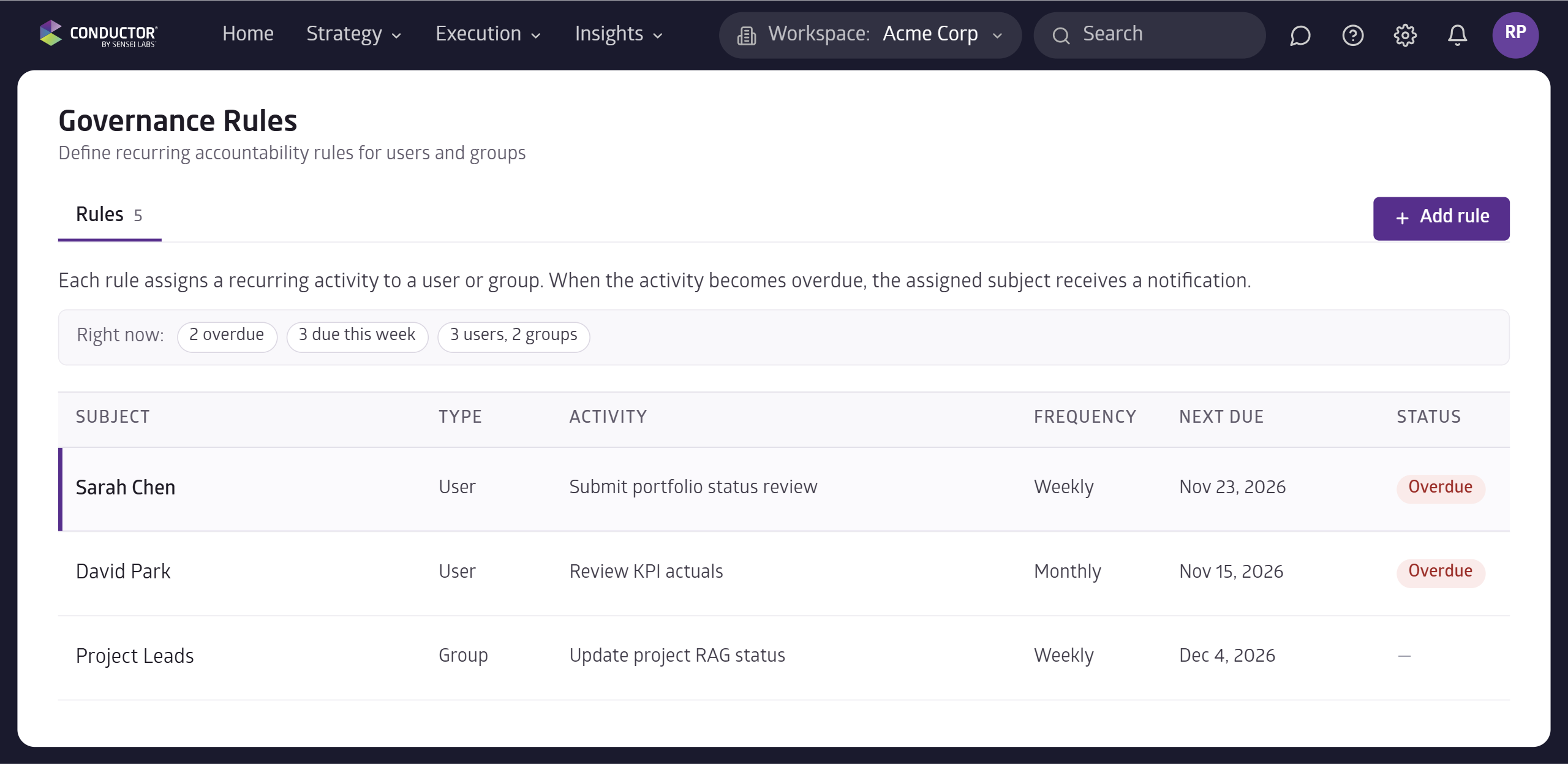
You can now set governance rules that give a person or group a recurring activity, like a weekly status update or a quarterly reforecast.
When something is overdue, it shows up in that person's Your Inbox and sends them a notification, so nobody has to remember to chase it.
For example, project leads update their RAG status every week, and KPI owners update their actuals every month.
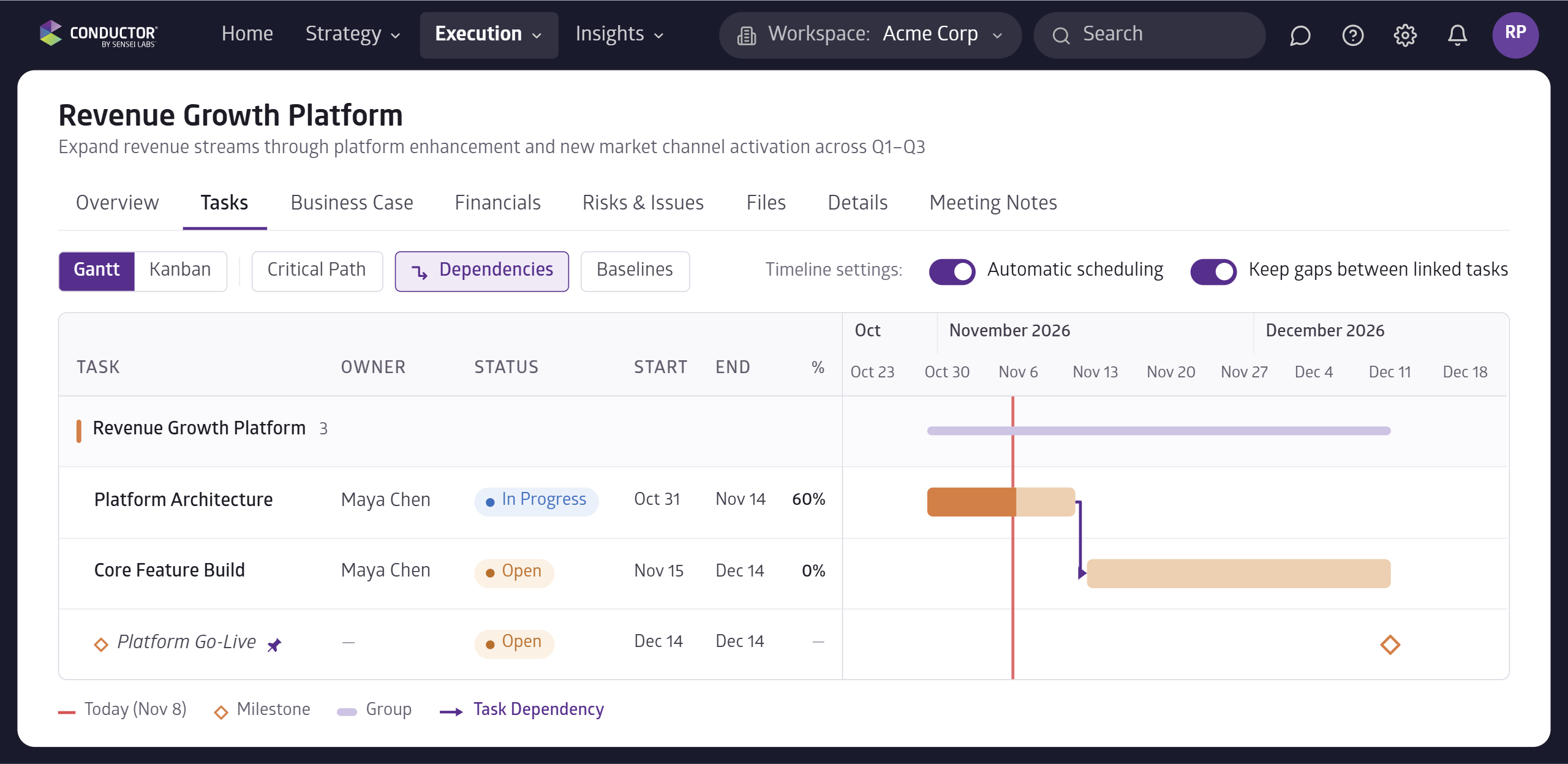
When you move a task on the timeline, the successor tasks now move out while keeping the task duration and lags.
Automatic scheduling is on by default, and each project can switch it off. You can also pin any task so it never moves.
For example, push Platform Architecture's start date back a week and Core Feature Build moves a week with it.
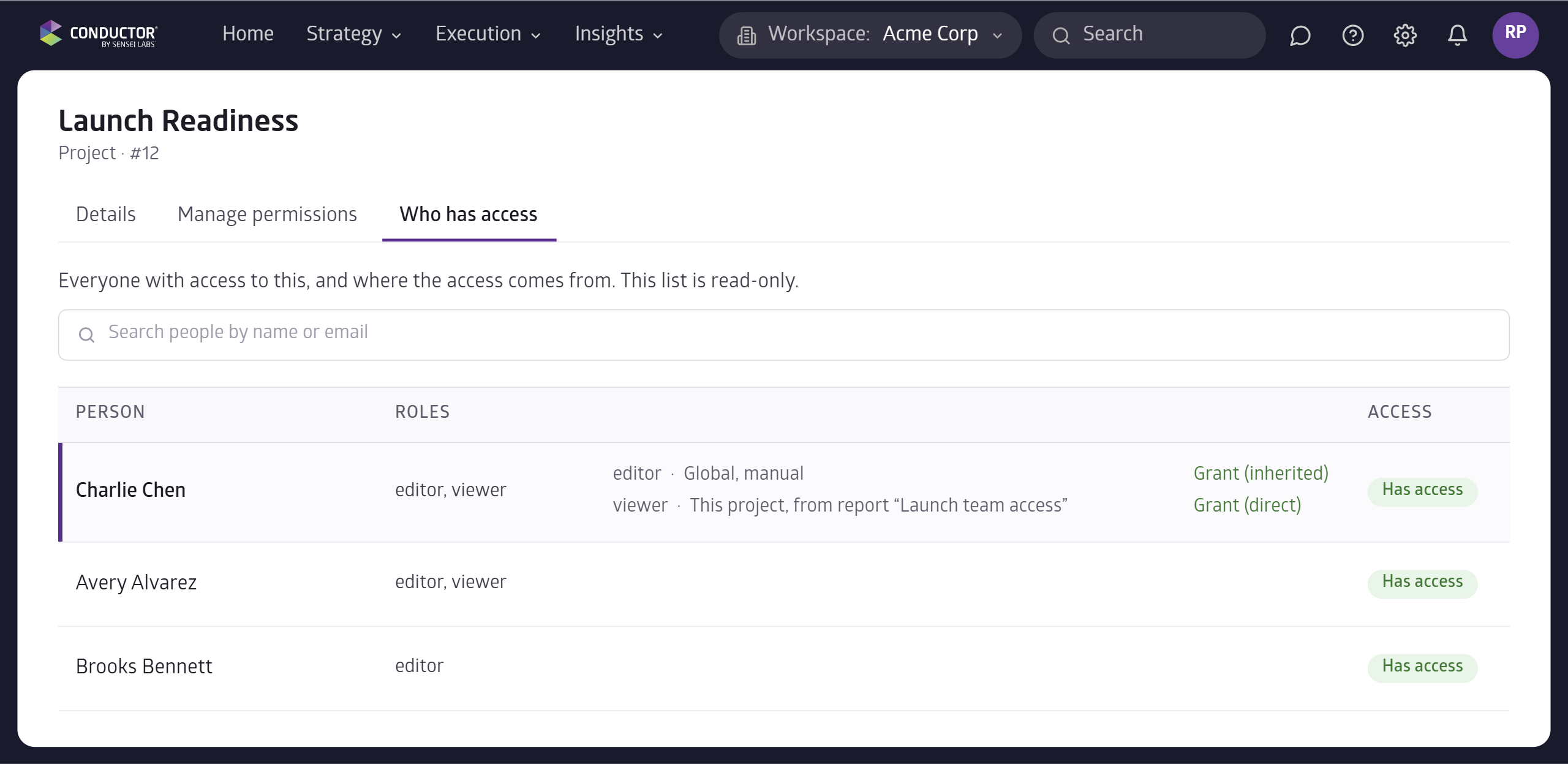
Admins can now open a “Who has access” tab on any project, program, portfolio or workspace and see everyone who can access.
Each person shows how they got access, including access granted automatically by their role or group.
For example, you can more confidently update a project status knowing exactly who can see it.
- Bulk Import Updates: import a file to update records that already exist, or export records as an import file first.
- Repeated KPIs: track the same KPI type more than once on a project when each has unique custom fields.
- Power BI integration: let Power BI read Conductor data through a read-only data source.
- Report Compare: compare two versions of a report line by line to understand changes.
- KPI Aggregation: choose whether each KPI type's yearly figure is a total, average, maximum or minimum.
- Custom Task Statuses: add your own task statuses, each mapped to open or closed.