-1200x1200.webp&w=1080&q=75)

Homepage redesign · Stage gates · Risk & Issues · Workflows
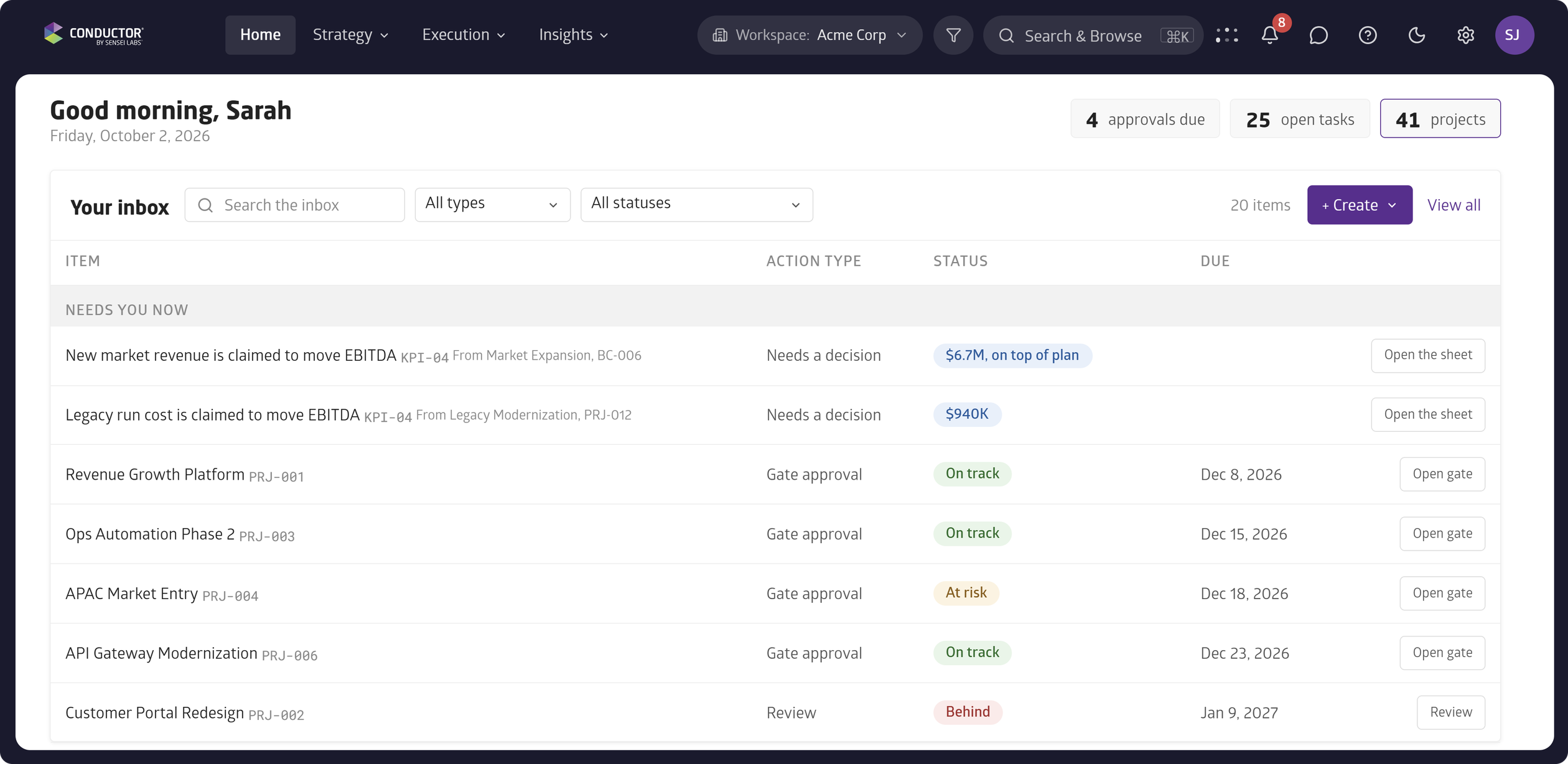
Your homepage is now the personalized place where everything you need to know or action comes together: approvals, health reviews, tasks, and insights in one prioritized view.
Instead of starting with executive dashboards, Conductor focuses you on moving your work forward.
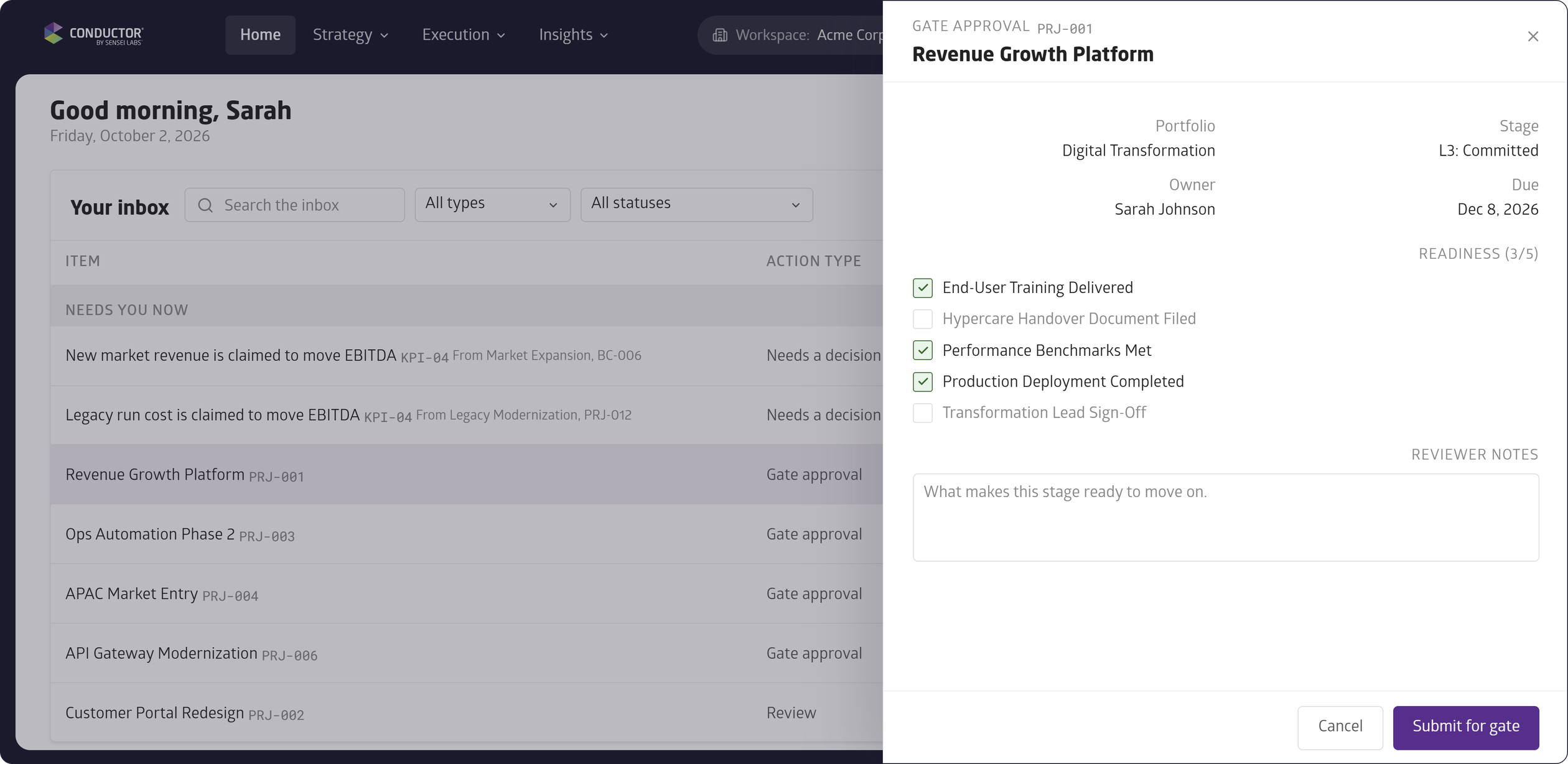
Stage gates bring together governance and execution to ensure the quality of your project lifecycle.
Stage gates help you prepare to move your project to the next stage and once you're ready, it routes the approval to the right people in the right order with a full audit trail. Once approved, the project moves to the next stage.
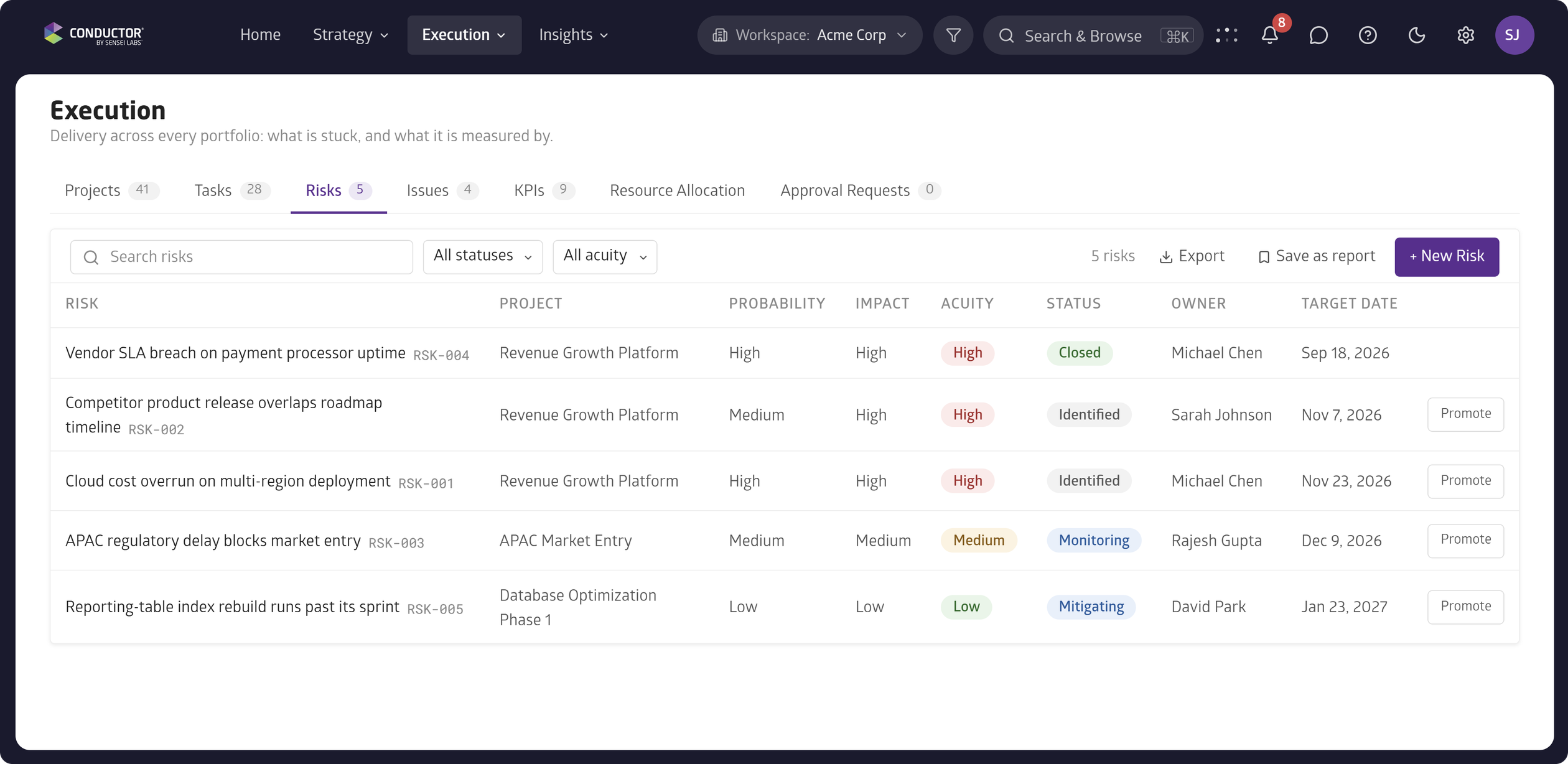
Risks and issues are now first-class objects in Conductor, with likelihood, impact, ownership, and status as default fields. And like other objects, you can extend both risks and issues with your own custom fields in the Settings.
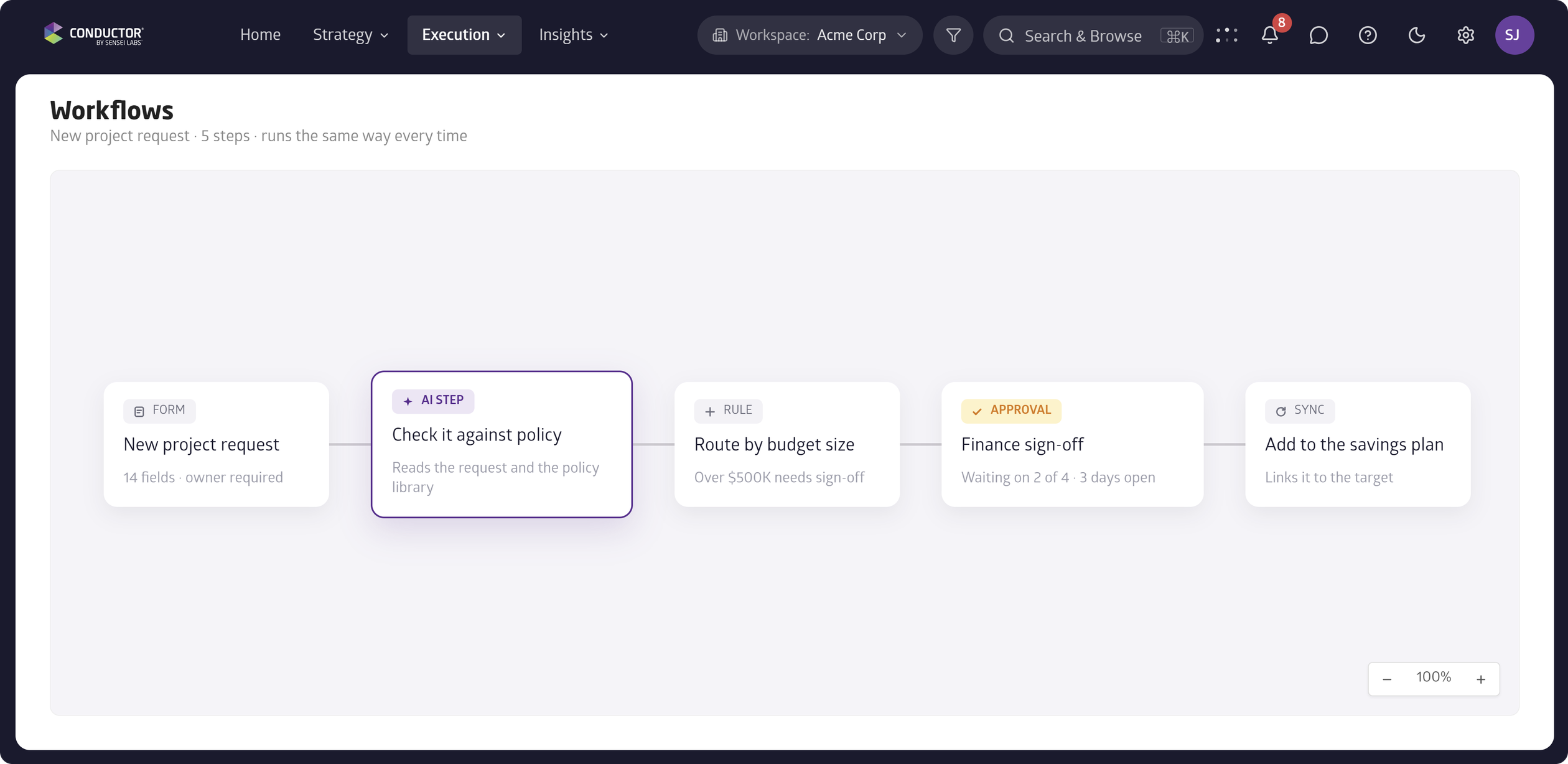
Workflows brings automation into Conductor with steps, checks, actions, and approval logic. Build the workflow once, and Conductor runs it the same way every time.
Conductor supports a configurable terminology dictionary, so your organization's own labels for portfolios, programs, projects, and workstreams show up throughout the platform, adopted item by item as your teams are ready. Localization supports displaying Conductor in the users' language.
- Navigation: fewer clicks between portfolios, projects, and work.
- RBAC & Permissions: role-based access and permissions for Members.
- Help insets: guidance appears inline as you're in the workflow.
- Notifications: one system across approvals, reviews, and updates.